Environment
This page helps to creat an image file to run a “system”.
prerequisites
- bximage (from bochs) - for creating an empty image
- nasm: 2.16.01 - for compiling the code to a bin file
- dd: 0.5 - writes bin file to the image file
- bochs: 2.7 - for simulate cpu and run os
Code
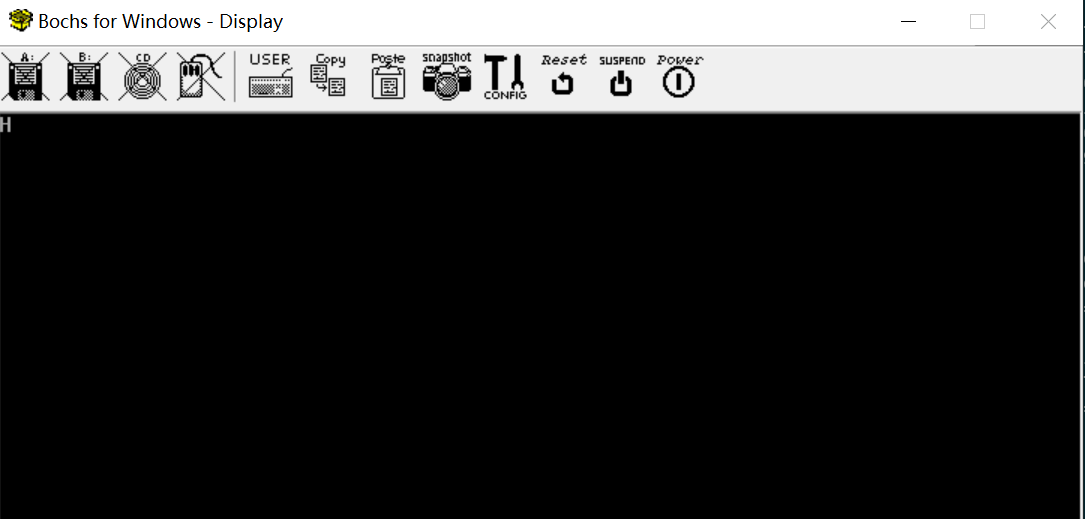
A program that prints characters on the screen.
Workflow
[1] create an empty image
> bximage -q -hd=16 -func=create -sectsize=512 -imgmode=flat master.img
========================================================================
			    bximage
  Disk Image Creation / Conversion / Resize and Commit Tool for Bochs
     $Id: bximage.cc 14091 2021-01-30 17:37:42Z sshwarts $
========================================================================

Creating hard disk image 'master.img' with CHS=32/16/63 (sector size = 512)

The following line should appear in your bochsrc:
  ata0-master: type=disk, path="master.img", mode=flat
(The line is stored in your windows clipboard, use CTRL-V to paste)
configure the bochsrc, add following lines
  ata0-master: type=disk, path="master.img", mode=flat
  display_library: win32, options="traphotkeys, autoscale"
  boot: disk
[2] compile via nasm
> nasm -f bin boot.asm -o boot.bin
[3] write boot.bin to main init section
> dd if=boot.bin of=master.img
note : current command just write a bin file to the 1st sector which is usually reserved for MBR bin file. The harddisk may contain other programs such as a “loader” in other sectors. To write a “loader” to the 3rd sector, use the following command
> dd if=loader.bin of=master.img seek=2
The argument “seek” specifies the starting offset of the output file (of).
[4] start bochs
> bochs -q
========================================================================
		    Bochs x86 Emulator 2.7
	  Built from SVN snapshot on August  1, 2021
	    Timestamp: Sun Aug  1 10:07:00 CEST 2021
========================================================================
00000000000i[      ] reading configuration from bochsrc.txt
00000000000e[      ] bochsrc.txt:762: ataX-master/slave CHS set to 0/0/0 - autodetection enabled
00000000000i[      ] installing win32 module as the Bochs GUI
00000000000i[      ] using log file bochsout.txt
========================================================================
Bochs is exiting with the following message:
[WINGUI] POWER button turned off.
========================================================================
result:
Attention!!!
If you want debug gui, you need to use the following cli:
> bochsdbg -q
Makefile
Simplify the commands with a makefile. Just issue corresponding
make commands:
make clean- clean previous generated filesmake- generate final image file in one command